01
Add your materials
Create an exam and import lecture PDFs or Markdown notes. Choose Prepare my practice to prepare eligible source evidence and questions.
Turn your lecture PDFs and Markdown notes into source-grounded questions. Explain what you know, check the original source, and practise for oral exams with AI running on your computer.
No account required · Local AI · Open source
FROM LECTURE TO EXAM
Start with the materials you already have. Build a study routine around what you need to learn.
Create an exam and import lecture PDFs or Markdown notes. Choose Prepare my practice to prepare eligible source evidence and questions.
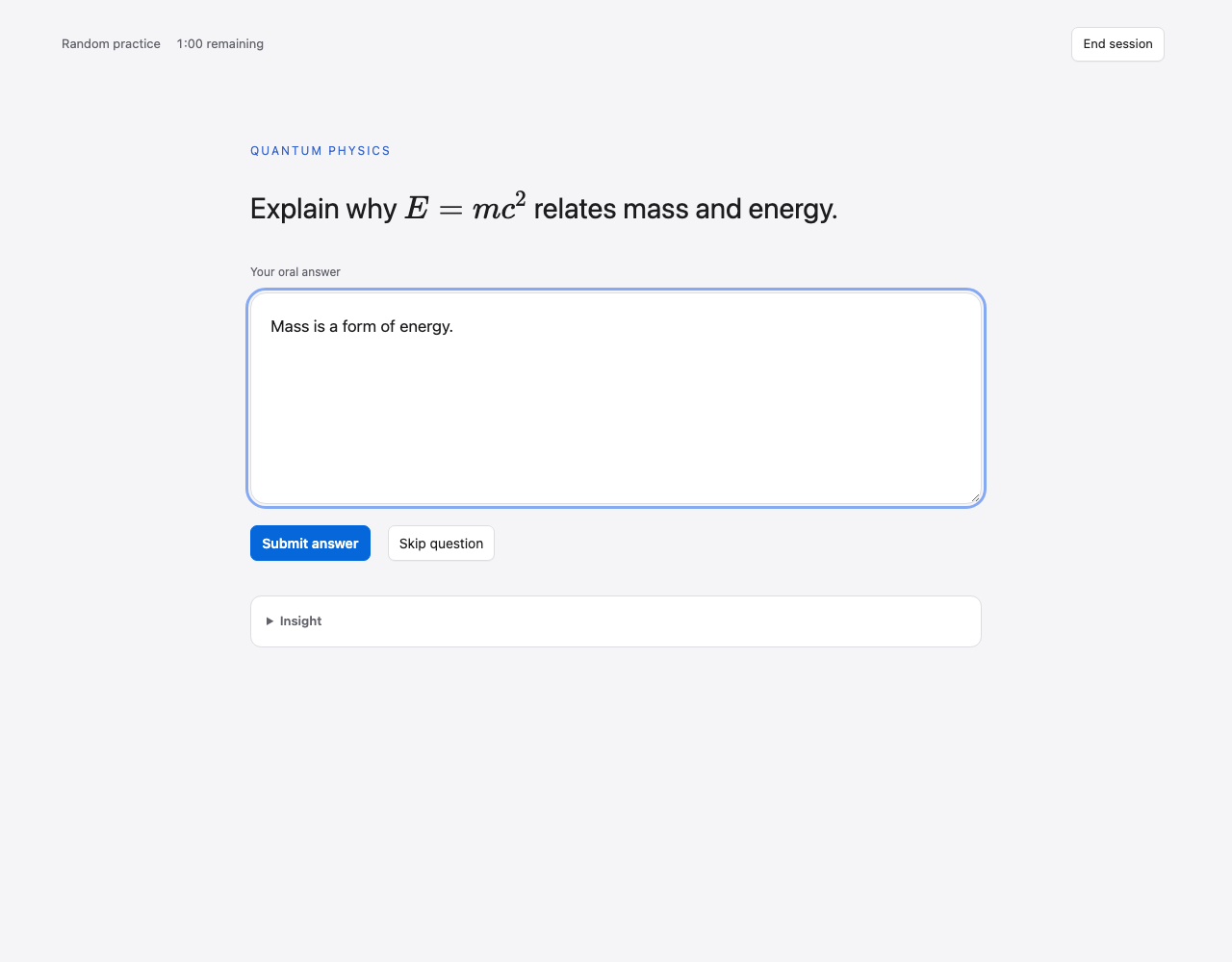
Choose a practice mode, answer in your own words and submit your written explanation for local AI feedback.
Open the cited PDF page, review missing points and return to the questions that need more work.
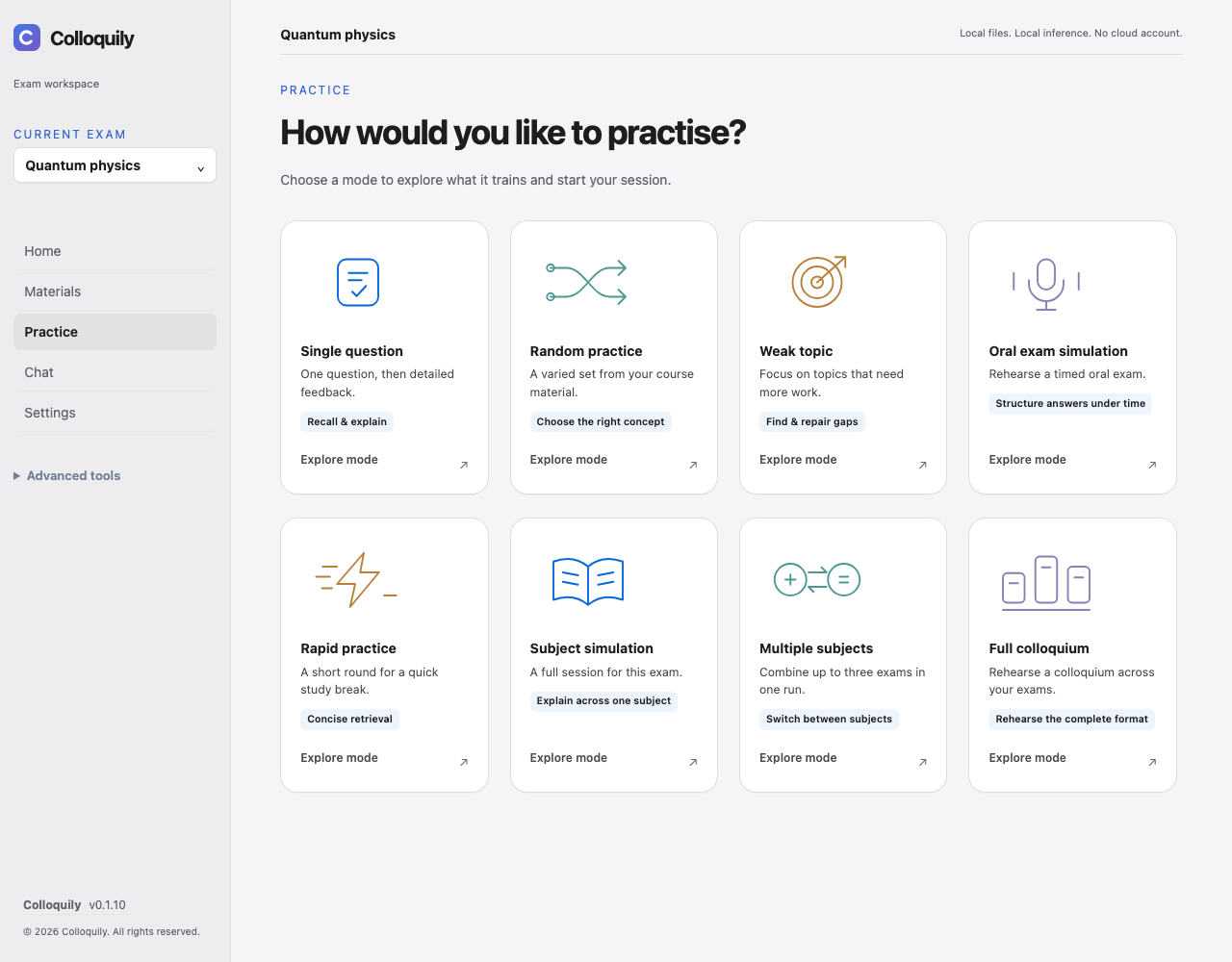
CHOOSE YOUR PRACTICE
All eight modes include a guide to the learning goal, how to practise and what the session does.
Explain one concept, its reasoning and an example.
Feedback: After your answer
Recall the right idea across a mixed selection, with question count and topic filters.
Feedback: After the run
Revisit questions due for review, then the remaining pool. Without history, use the usual pool.
Feedback: After the run
Rehearse structured explanations within a time budget, with count and filters.
Feedback: After the run
Give concise answers on familiar material in a quick round.
Feedback: After each answer
Sustain explanations across the question pool for one exam.
Feedback: After the run
Practise switching between two or three exams in consecutive timed blocks.
Feedback: After all blocks
Rehearse exactly three exams. Start with 15 minutes per subject or adjust the duration.
Feedback: After all blocks
Deferred evaluation starts automatically when the run finishes. Preparation counts toward the timer; multi-subject durations apply to each subject. Speak aloud if useful, then submit text: voice and delivery are not assessed. An unsent draft is not submitted on timeout.
BUILT AROUND YOUR COURSE
One place to turn reading into active exam preparation.
Questions need current, accepted evidence and supporting quotes. Unsupported candidates are rejected instead of replaced with filler.
Start with one concept, revisit weak topics or rehearse a timed session across up to three exams.
Ask follow-up questions in a local conversation for each exam, with references to the course evidence.
Open the cited PDF page inside practice to check formulas, diagrams and the original context.
Review your submitted text, question scores and feedback-based next steps. Skipped and ungraded answers stay visible.
Documents, answers and evaluations stay on your computer. Each exam keeps its own materials and progress.
AI questions and feedback can be wrong. Check them against the original sources; scores are study aids, not predictions of an exam grade. Scanned PDFs need separate OCR.
FROM ANSWER TO NEXT STEP
Keep your own explanation at the centre, then use the source and feedback to decide what to practise next.
PRIVATE BY DESIGN
Local AI inference runs on your device through Ollama. Your lecture files do not need to be sent to a cloud AI provider. The desktop app has no cloud AI fallback, cloud account, or analytics service.
Internet access is used for installation, model downloads and update checks. This website uses optional analytics only with your consent; hosting providers process requests to serve it. GitHub and Ollama have their own privacy policies.
YOUR NEXT STUDY SESSION STARTS HERE
Choose your computer. Bring your lecture notes.
Apple Silicon
macOS 14 or newer
DownloadIntel
macOS 14 or newer
Downloadx64
64-bit Windows · WebView2 runtime
DownloadThe desktop sidebar now fits your window while the main page scrolls. Navigation scrolls independently in short windows, keeping the exam picker and About footer visible. Completed evaluations also return their final saved grade consistently.
Read the release notesVersion 0.1.6 and later can receive signed automatic updates. The app backs up before installation and waits for an idle Home screen before restarting. Choose Later or disable automatic updates in About. Older versions need one manual upgrade.
Preview release with signed updater payloads. Apple notarization and Windows publisher signing are separate: check the platform trust reports on the release page. Your OS may warn or block installation. Verify SHA256SUMS.txt and get the matching license bundle. Clean-machine installation and full hardware coverage remain separate checks.
OPEN TO EVERYONE
Colloquily is open source under Apache-2.0. Have an idea for better exam preparation? Help shape what comes next.